SOM Carrier Board Design: How to Design One, Step by Step
Module choice, cooling, input power, protection, routing, device tree and bring-up, from the carriers we have built around the RK3588 and the Raspberry Pi CM4.
- Published
- Reading time
- 12 min
- Author
 Andrew Douglass, Founder, Groundplane Studio
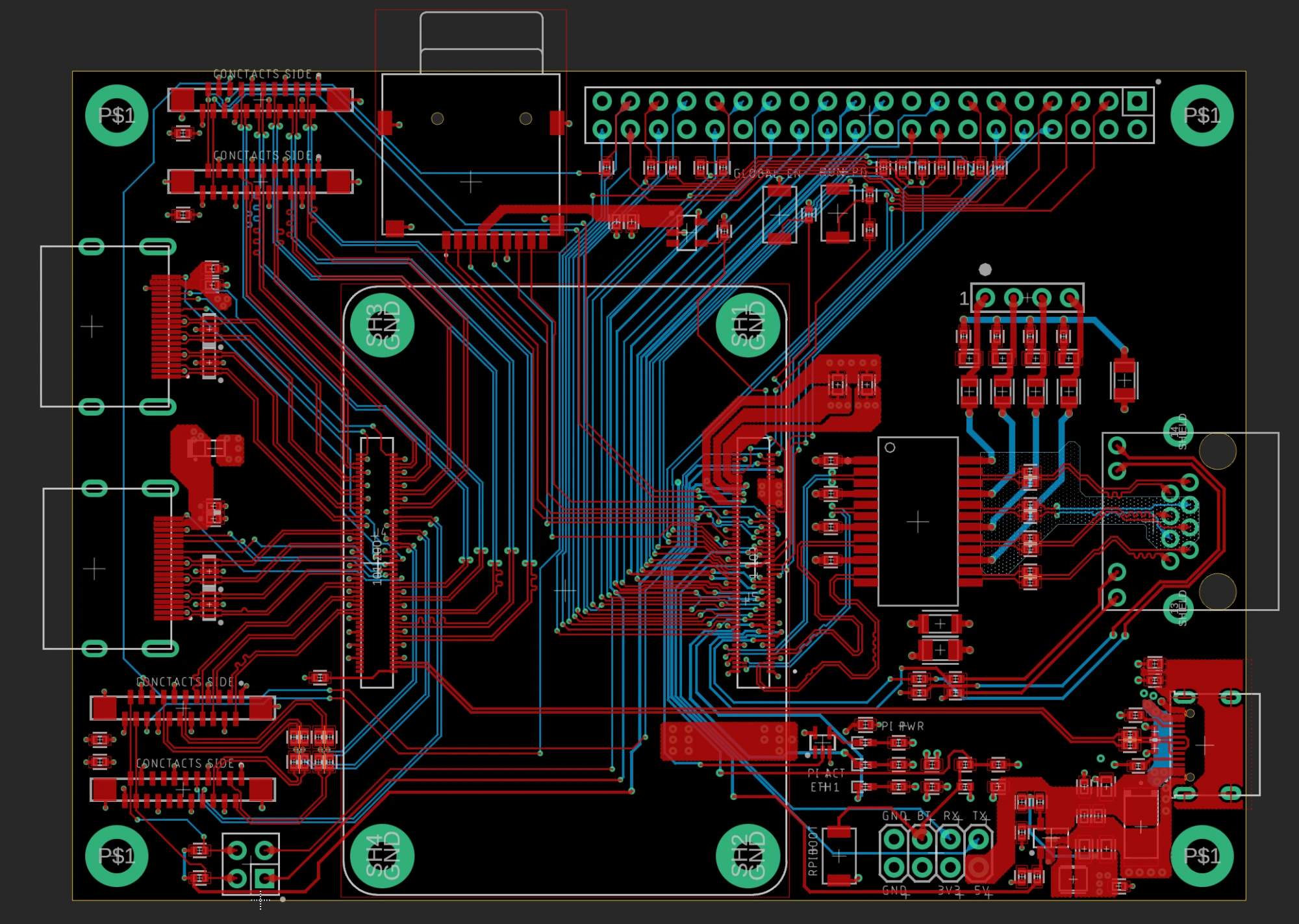
SOM carrier board design means designing the board a system on module plugs into: its power input, connectors, protection, high-speed routing and device tree, plus the product's own application circuitry. The module arrives with the processor, DRAM, storage and core power already validated, so a carrier is a smaller job than a chip-down board, where the SoC and its memory sit on your own PCB.
This guide walks through how we design one, using carriers we have built: two carriers for a battery-powered handheld built around an RK3588 module, first a Turing RK1 and now a FriendlyElec CM3588, and Raspberry Pi CM4 carriers, including a server board carrying two redundant modules. Before you start you need the module's datasheet and carrier design guide, its reference carrier schematic and device tree, and your enclosure's dimensions. One status note up front: the CM3588 handheld carrier is still in development, so where this guide reports a result it comes from finished boards, and where a number has not been measured yet it says so.
What the module gives you, and what it leaves you
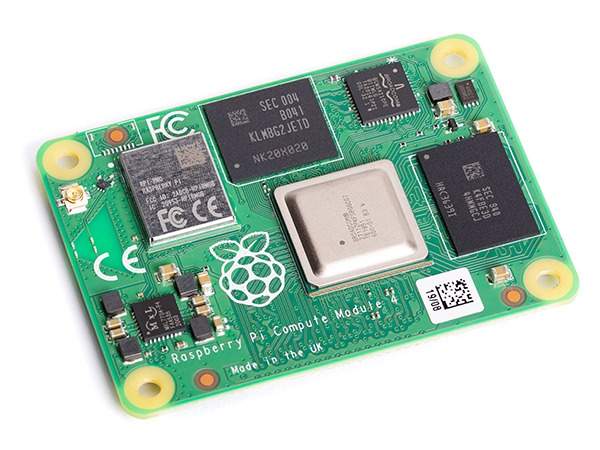
A typical compute module carries the SoC, its DRAM, usually eMMC storage (flash memory soldered to the module), the power management IC and the core rails, brought out to one or more board-to-board connectors. It has been through signal integrity validation that you do not have to repeat. If you are still choosing between a module and a bare SoC, what a system on module is and how to choose one covers that first.
| Responsibility | On the module | On your carrier |
|---|---|---|
| SoC and DRAM routing | Yes, already validated | No |
| Core power rails and PMIC | Yes | Input power and sequencing only |
| Boot storage | Usually eMMC on module | Optional SD or NVMe |
| External connectors | No | Yes, all of them |
| ESD and surge protection | No | Yes, at every external port |
| High-speed pair routing | Internal only | Yes, module to connector |
| Cooling | Thermal interface only | Heatsink, contact and airflow |
| Device tree for your hardware | Reference carrier only | Yes, yours to write |
Check the module before anything else
Our RK3588 handheld taught me this the expensive way. Its panel is a 7-inch, 1080 by 1920 AMOLED, the Visionox PO700FH101GG, which takes a single four-lane MIPI DSI link. The first carrier was built around the Turing RK1, an RK3588 module on a 260-pin SO-DIMM connector in the NVIDIA Jetson form factor, and the RK1 brings out only a single two-lane MIPI DSI port, half the lanes the panel needs. So we bridged with an RK628D, which converts the module's HDMI output to DSI.
The bridge worked electrically: HDMI receive locked, the DSI PHY locked and the panel answered its configuration commands. It still would not show a picture. The panel needs Display Stream Compression (DSC) at its refresh targets and the RK628D has no DSC engine; its pipeline is also 8-bit, while we believe the panel's uncompressed input is 10-bit (we did not confirm that against the panel datasheet), and its HDMI receiver failed calibration above about 150 MHz, which caps it near 60 Hz.
The fix was a different module, not a better bridge. FriendlyElec's CM3588 brings out the RK3588's own MIPI DSI ports, the same silicon as the RK1 with different interfaces exposed. Step 1 below turns that lesson into a checklist.
How to design a SOM carrier board
Step 1
Choose the module by what it exposes
Before anything else, check the module against the product, not the benchmark:
- Trace every interface you need from the SoC to a named pin on the module connector. A module built on the right SoC can still cut your interface short, as the RK1 did by bringing out two MIPI DSI lanes where our panel needed four.
- Read each peripheral's datasheet for the modes it needs (compression, bit depth, lane count, refresh rate) and confirm the SoC path supports them.
- Check that the vendor maintains the board support package (BSP: the bootloader, kernel and drivers) and how much of the platform is in mainline Linux.
- Check the footprint for second sourcing: a published standard, the Raspberry Pi CM4 and CM5 footprint, the Jetson form factor or a proprietary connector.
Step 2
Collect the documents and start from the reference carrier
Read the module's datasheet and carrier design guide end to end, then copy the vendor's reference carrier schematic and delete what you do not need. Starting from a blank page is how sequencing and strapping errors get in. Collect the reference device tree at the same time, and any length data the vendor publishes for the module's internal traces: FriendlyElec publishes a pin-delay table for the CM3588, which you need for length matching on the carrier.
Step 3
Fix the mechanical and thermal envelope
Connector positions and the cooling path are requirements, so settle them before the schematic. Our RK3588 handheld's enclosure is 18 mm thick, which left 10 to 11 mm for the carrier, the module and anything cooling it, too little for a heatsink tall enough to cool an RK3588 in place. So the heat goes sideways: a custom copper block on the SoC feeds an 8 by 3 mm flattened heat pipe that runs off the board to a 40 by 20 by 10 mm fin stack of about 20 fins, cooled by a 40 by 40 by 10 mm radial fan.
We have not measured this assembly yet, so here is the design estimate and its assumptions. Assuming 0.3 mm aluminum fins and a typical 4010 blower (about 2 CFM free air), roughly 0.8 L/s passes through the fins at about 2.5 m/s, which puts the fin stack near 2.4 °C/W. Adding about 0.2 °C/W for the heat pipe, 0.3 °C/W for the copper block and thermal pad, and the datasheet's 0.12 °C/W junction-to-case gives roughly 3 to 4 °C/W junction to air once fan leakage is allowed for. At 8 W and 40 °C inside the enclosure that predicts a junction of about 64 to 72 °C, and leaves roughly 10 to 15 W of headroom below 85 °C. For contrast, the bare chip on a board, at the datasheet's 8.7 °C/W, would reach about 95 °C at 8 W in 25 °C air. The heatsink calculator runs the same arithmetic for your own numbers.
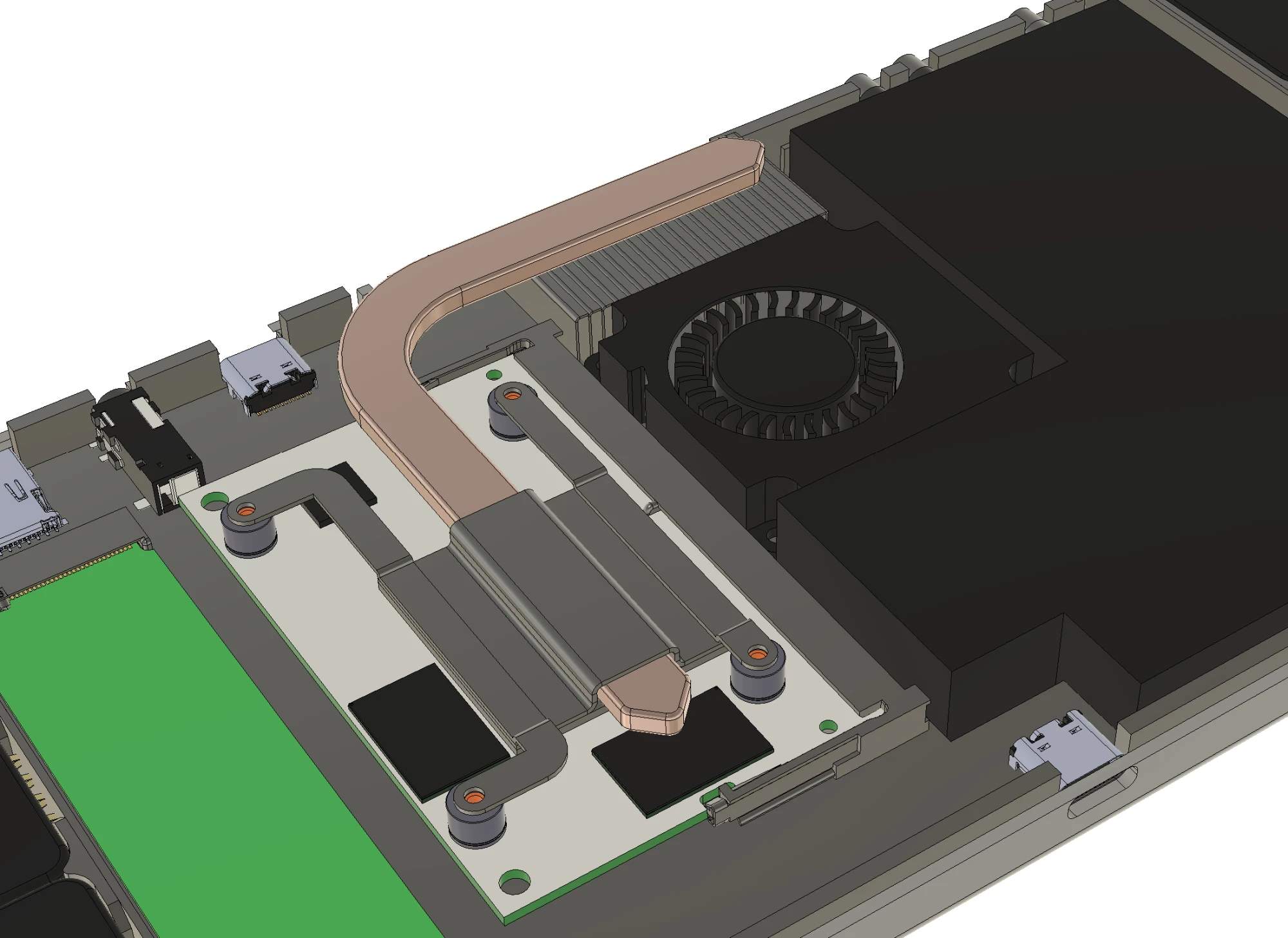
Ten millimeters of height is not enough for a heatsink on an RK3588, so the heat goes sideways. Step 4
Design the input power and its sequencing
The module's datasheet gives its input rail, tolerance and peak current; design to those numbers and confirm any ambiguity with the vendor before layout. Everything upstream is the carrier's. On the RK1 handheld carrier, each USB-C input sits behind its own eFuse (TPS259814) that disconnects below about 10.4 V and above about 16.4 V, and a capacitor delays the top port's enable so the bottom port takes priority for the battery charger. The module's 5 V input pins are fed through a separate eFuse (TPS259251) with a 5 A limit and a 4.6 V cut-off. Bring the carrier's own regulators up after the module, or gate them from its power-good signal: on a CM4 that is RUN_PG, and GLOBAL_EN switches the module off. Size the input copper with the trace width calculator.
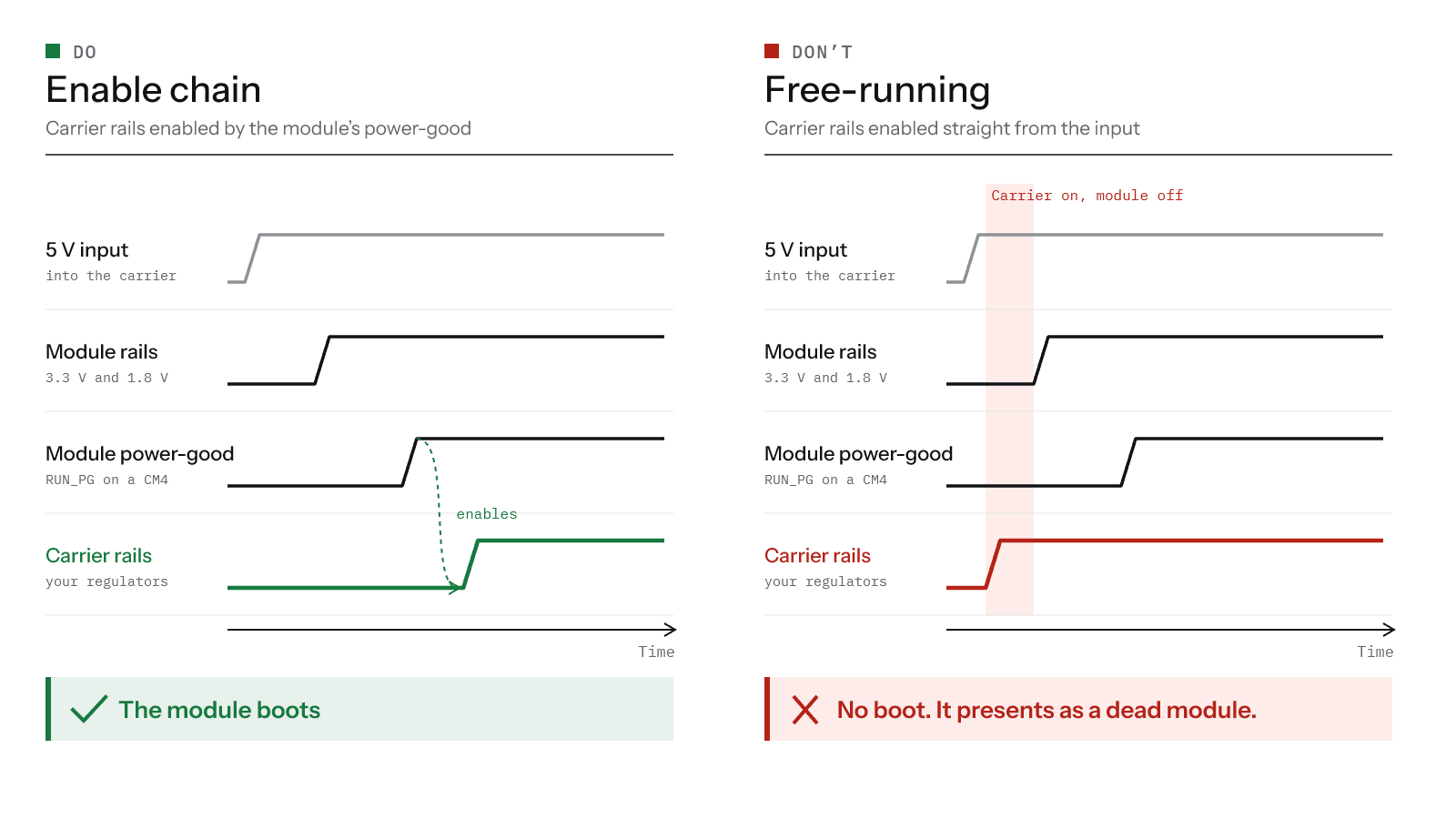
The failure on the right looks like a dead module. It is a carrier that let its regulators decide the order. Step 5
On a multi-module carrier, never let one module power another's peripherals
This lesson came from a server carrier with two redundant CM4 modules. In an early revision, a USB hub one module relied on was powered from the other module's 3.3 V output, so when that module power-cycled, the hub dropped out for its neighbor too, which defeated the point of redundancy. The later revision gives each module its own USB hub (a USB2517), powered from that module's own 3.3 V output.
The same board lets each module recover the other, and the mechanism is simple: each module drives the other's nRPIBOOT pin from a GPIO and controls a load switch on the other's 5 V input, and a USB 2.0 mux (FSUSB42) can move a module's USB port from its own hub to a downstream port on the other module's hub. To reflash module A, module B holds A's nRPIBOOT low, power-cycles A through the load switch, switches A's USB onto its own hub, and runs Raspberry Pi's rpiboot tool against it. Heartbeat lines between the two let each notice when the other has stopped.
Step 6
Check what the module already provides
Modules carry parts a carrier would otherwise add, and doubling them causes faults. The RK1 already has 2.2 kΩ pull-ups to 3.3 V on its I²C buses and an internal pull-up on POWER_EN, so the RK1 handheld carrier's pull-up footprints were left unpopulated. The reverse happens too: the RK1 does not expose analog audio, so the carrier added its own codec, an ES8388.
Step 7
Protect every external port
Choose each protection part by three numbers: a working voltage above the line's normal level, a clamping voltage below what the protected chip tolerates, and on fast lines a capacitance of a fraction of a picofarad. Place it at the connector, where the discharge arrives. On our RK3588 handheld's USB-C ports that meant a TVS diode on VBUS, low-capacitance arrays on D+, D- and CC, four-channel arrays on the SuperSpeed lanes, and a USB-C port protector (TPD6S300A) on CC and SBU, which also survives a short to VBUS.
Step 8
Plan bring-up and recovery before layout
Decide now how you will power up and debug the board, because these features have to be placed. Put test points on every rail, a serial console you can reach with the enclosure closed, a way to power the carrier with the module removed, and a route into the module's recovery mode (maskrom on Rockchip, USB boot on the CM4) that does not need a teardown. Removing a test point in revision two is free; adding one is a respin.
Step 9
Route the high-speed pairs and choose the stackup
PCIe, USB 3, HDMI, MIPI (the DSI display and CSI camera links) and Ethernet leave the module as differential pairs. USB targets 90 Ω differential under the USB specification. TI's Jacinto 7 high-speed interface guidelines use 85 Ω for PCIe lanes, though other guides specify 100 Ω, so take the figure from your module's carrier guide; the same TI guide uses 100 Ω for HDMI and MIPI D-PHY and, for D-PHY, allows no stubs, at most two vias per trace and 40 ps of lane-to-lane skew. Ethernet's MDI pairs are 100 Ω. Keep every pair over a continuous reference plane, and match lengths in time rather than millimeters where pairs change layers, including the module's internal lengths from the vendor's delay table. The targets set the stackup: the CM3588 handheld carrier fits on four layers because the SoC, DRAM and eMMC (soldered flash) sit on the module, where our chip-down RK3576 board needed eight. The impedance calculator turns a fab's stackup into trace geometry.
Step 10
Run DFM and order the prototypes
Check the layout against the actual fab's design rules rather than a generic set, have someone who did not draw the board review it, and set the impedance targets on the fab's own stackup when you order. For quick prototypes we order assembled boards from JLCPCB and turn on its production-file confirmation, so the fab's engineering questions reach you before the boards are built rather than after.
Step 11
Power up and bring the carrier to life
Power the carrier first without the module, from a current-limited bench supply, and check every rail at its test point. Then seat the module, watch the serial console from the first power-on, and if nothing boots, force the recovery mode you planned in step 8 and load a known-good image. Once it boots, bring up the device tree one peripheral at a time. On our finished CM4 carriers that was mostly an overlay on Raspberry Pi's IO board configuration: enabling the peripherals we added, moving pin functions and turning off what we did not populate. For the CM3588 handheld, which has not reached bring-up yet, the plan is the DSI panel node and its timings, the touch controller on I²C and the panel's power and brightness control, with every unrouted interface disabled. Writing a device tree for a custom Rockchip board goes deeper.
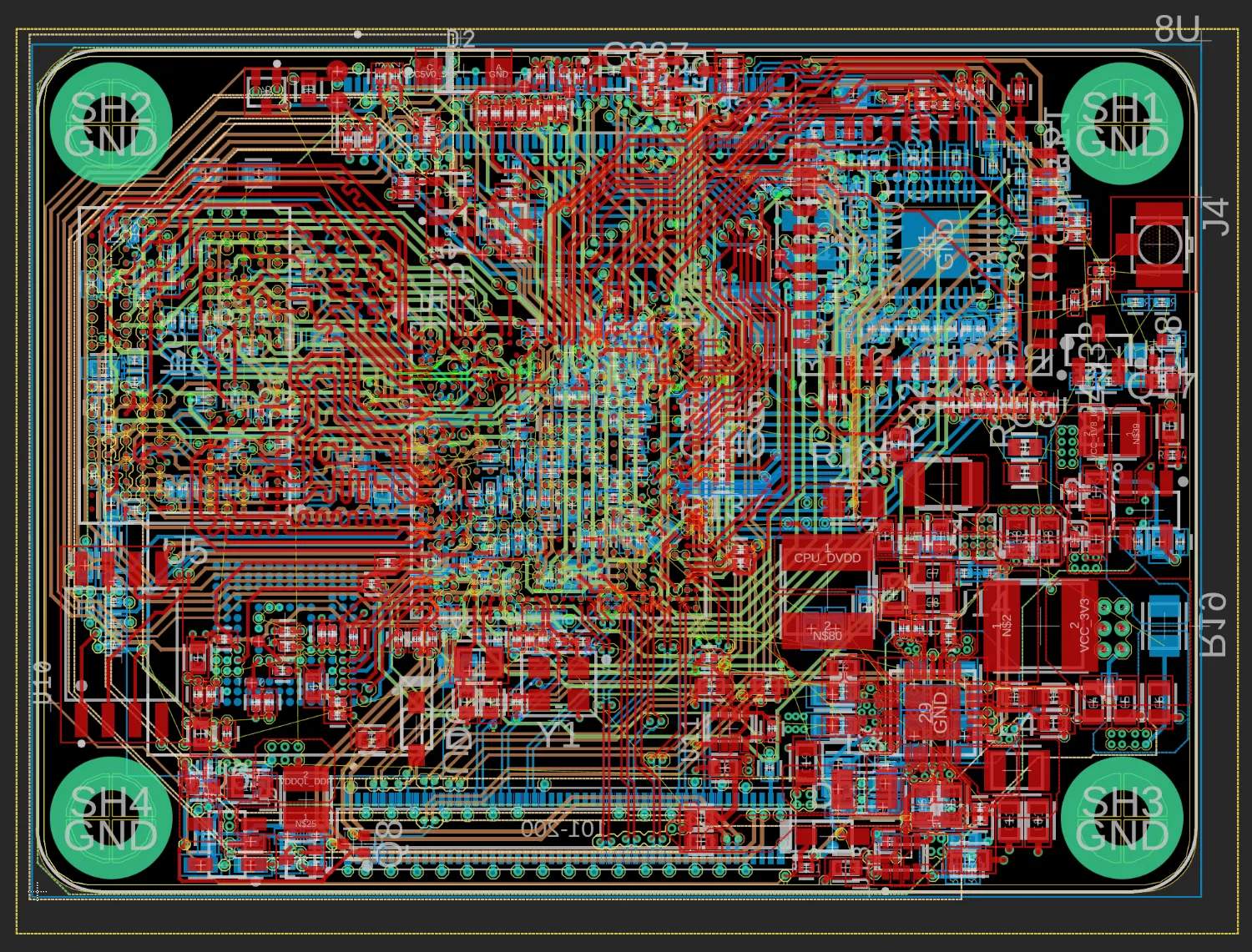
The module
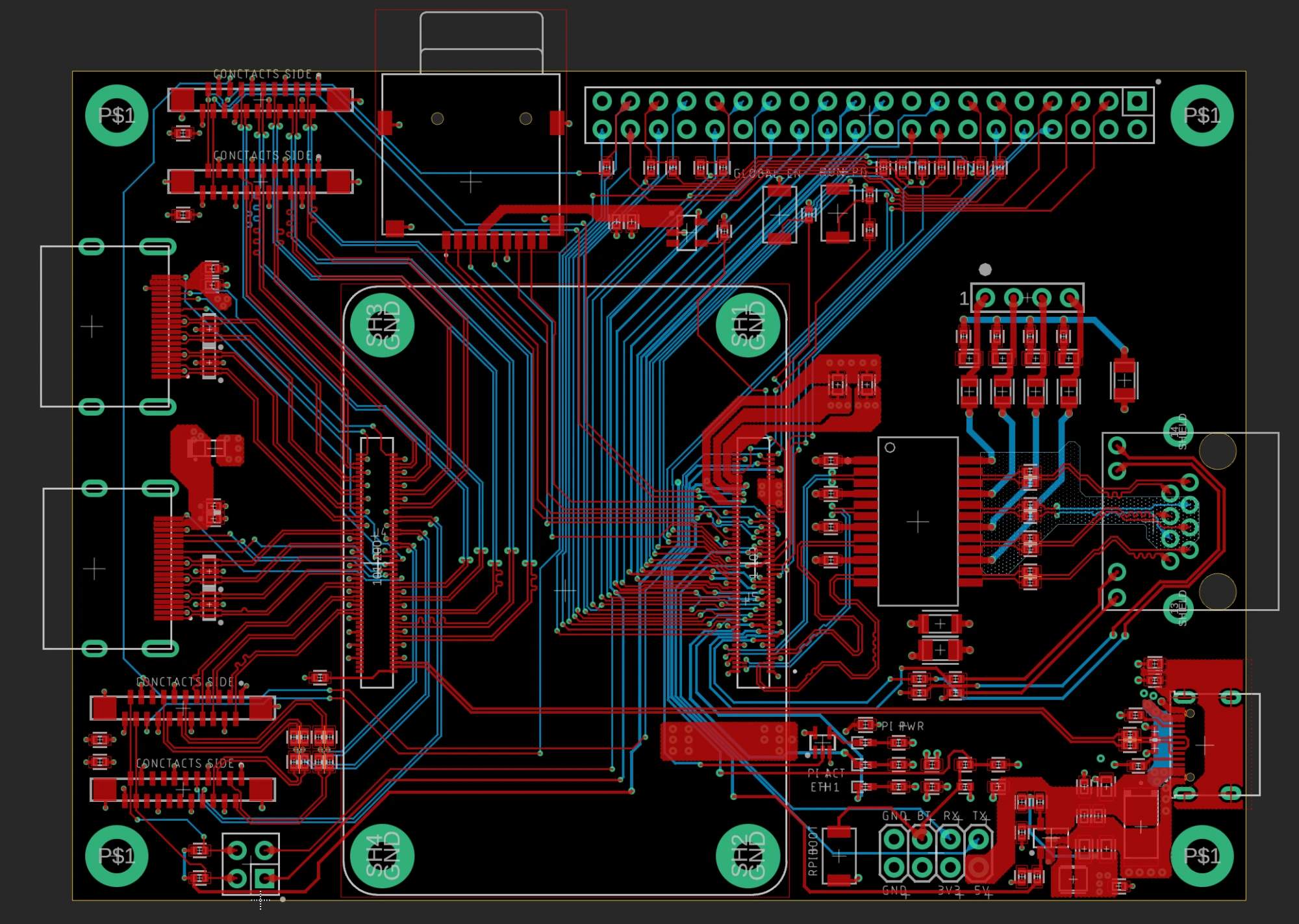
The carrier
Standard form factors and second sourcing
Some modules follow published standards, SMARC, Qseven and COM Express among them; others use a vendor connector. The difference is second sourcing: a carrier built to a published standard accepts modules from several vendors, while a proprietary connector ties you to one supplier for the life of the product.
The Raspberry Pi Compute Module 4 sits between the two. It is not an industrial standard, but its connector and pinout are documented, its design guide is thorough and its reference schematics are complete. The Compute Module 5 keeps the form factor and connectors, and Raspberry Pi calls it pin-compatible for most customers; it does drop composite video, the two-lane DSI and CSI ports and two ADC inputs, so a CM4 carrier using any of those needs changes (Raspberry Pi's transition guide lists them). Modules with other silicon now ship on the same footprint (CM4, CM5 and compatible modules), and CM5 carrier boards covers the current generation.
The Jetson form factor is a middle case. Modules such as the Turing RK1 fit existing Jetson-form-factor carriers, but as our RK3588 handheld showed, a shared footprint does not mean shared I/O.
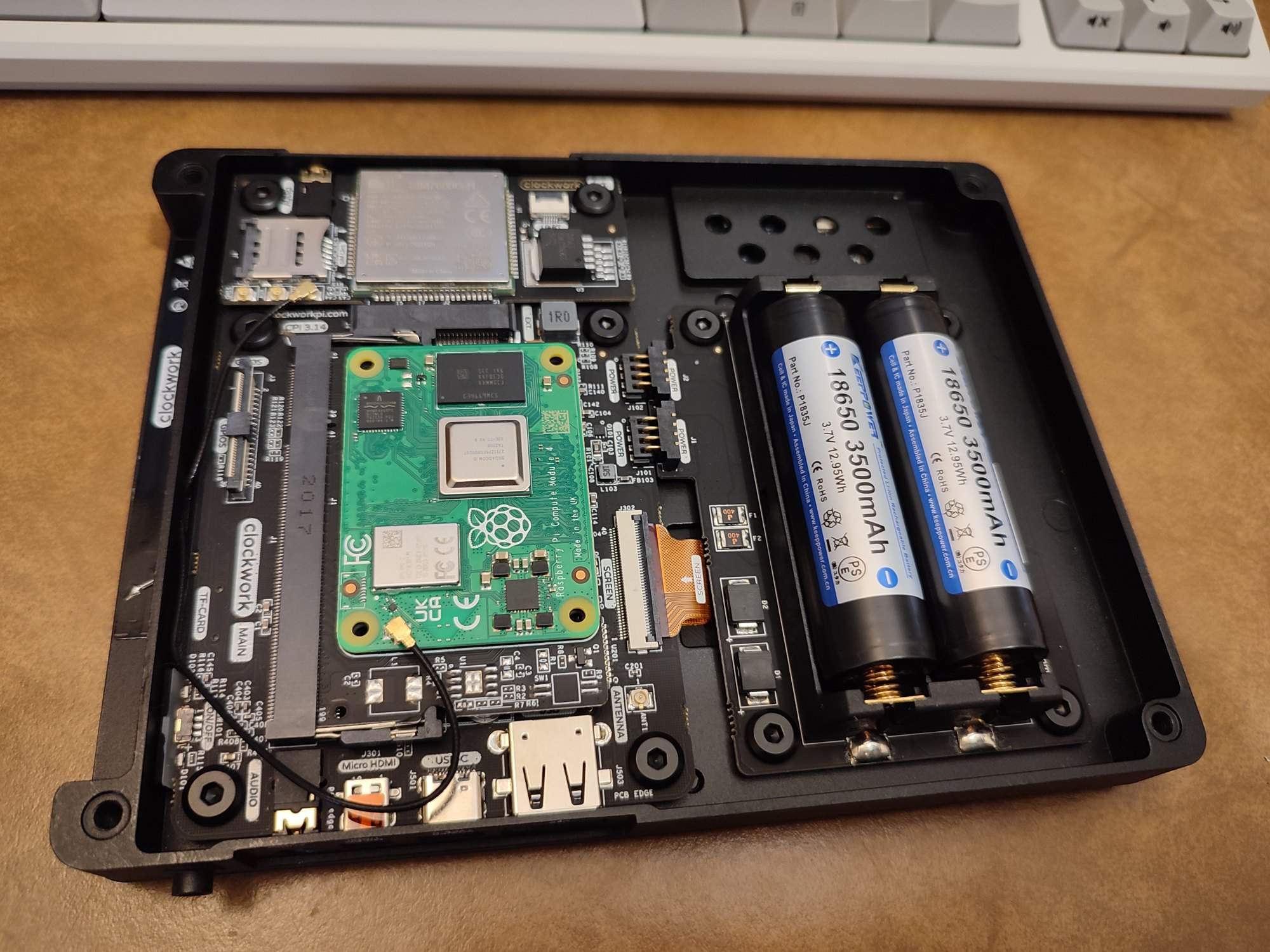
When a carrier is the wrong answer
I think about it as a volume ladder. At low volume an off-the-shelf single board computer, perhaps with a small add-on board, is almost always the better economics, because a carrier's engineering and prototypes never pay back. At mid volume a module on a carrier wins: you control connectors, enclosure fit and supply without ever routing DDR. At high volume a custom chip-down board wins, because the module's margin on every unit eventually outweighs doing the DDR and power work yourself. I do not publish where the rungs sit, or what a carrier costs in engineering and fabrication, because both depend on board size, layer count, quantity and each manufacturer's quote, and ours are private. Get quotes for your own board early; they move the ladder more than any rule of thumb. System on module versus single board computer works through the first step.
What I would tell someone starting one
Choose the module by its connector, its documentation and the interfaces it actually brings out, and only then by its benchmark. Settle the cooling path before the schematic, power anything shared from the carrier, and schedule the device tree as real work. Most of the carrier problems I have seen in design review trace back to one of those.
Disclosure: Groundplane designs carrier and SoC boards for clients (services).
Frequently asked
FAQ
The board a compute module plugs into. It provides power, connectors, protection and application circuitry, while the module provides the processor, memory and core power rails. Also called a baseboard.
Often four, because the SoC, DRAM and eMMC sit on the module; our CM3588 handheld carrier is four layers. Add layers when the high-speed interfaces you route need more reference planes than four give cleanly. A chip-down board carrying its own DRAM usually needs more: our RK3576 board is eight.
Only if both follow the same footprint, such as SMARC, Qseven, COM Express, the Raspberry Pi CM4 and CM5 footprint, or the NVIDIA Jetson form factor. Even then, check the pin usage: the CM5 dropped some CM4 interfaces, and modules on a shared footprint do not all bring out the same I/O. The Turing RK1 fits Jetson carriers but brings out only a two-lane MIPI DSI port.
Often. The form factor and connectors are the same and Raspberry Pi describes the CM5 as pin-compatible for most customers. A carrier that uses composite video, the two-lane DSI or CSI ports, or the ADC inputs needs changes, because the CM5 dropped them.
Building something? We take on a small number of consulting projects. Get in touch or see what we've shipped.