Fusion Electronics MCP and libraries
An open-source MCP server that lets AI agents read, review and edit Autodesk Fusion Electronics designs: 101 tools for review, impedance and current checks, placement, routing and JLCPCB outputs. Released with the component libraries we design with, including 4,059 passive variants that carry their JLCPCB part numbers.
We lay out most of our boards in Autodesk Fusion Electronics. fusion-electronics-mcp is the MCP server we built so an AI agent such as Claude Code can work on those designs with us: read the schematic and board, review them, check impedance and current, place and route, and produce the files JLCPCB asks for. It ships alongside fusion-libraries, the parts libraries we use on our own boards. Both are public; the server is MIT licensed and the libraries are CC BY 4.0.
By the numbers
- Tools
- 101 MCP tools (version 0.3.0, October 2026)
- Runs with
- Autodesk Fusion with Electronics on Windows or macOS; Python 3.12 or newer; any MCP client
- Tested against
- Fusion 2705.1.15
- Network
- 127.0.0.1 only, except an opt-in footprint fetch from EasyEDA; no telemetry
- Libraries
- Five Fusion libraries: 79 passive device sets with 4,059 value variants, 196 active device sets, 109 connector device sets, plus schematic frames, power symbols and PCB features
- Licenses
- Server: MIT. Libraries: CC BY 4.0
How it talks to Fusion
Reads come from Fusion's own EAGLE XML export: one export is a complete snapshot of the board or schematic in about a second, parsed outside Fusion. Writes are EAGLE commands sent through Fusion's undocumented text-command interface, which returns nothing, not even for a command it did not understand. So every write tool exports the design again, checks that the change landed as intended, and undoes it if it did not. Each tool call is one undo step in Fusion, and nothing is saved until the agent is asked to save.
The connection is a small Fusion add-in that listens on 127.0.0.1 behind a per-session token and runs only design commands from a fixed list: no scripts, no system or file commands, so an agent cannot use it to run programs. Fusion asks questions in modal dialogs; on Windows a watchdog answers the ones a tool expects and cancels the rest, never answering Yes on its own.
What the tools do
- Review: board and schematic summaries, parts and nets, DRC and ERC, a schematic review for unconnected power pins, stray wires and nets that need labels, and a rendered picture of the board
- Signal integrity: differential pairs, length matching and length groups through series parts, and impedance estimates (IPC-2141 closed form) against the design's real layer stackup
- Current: trace widths sized per layer from a net's current (IPC-2221, from the design's real copper), capped by the weakest part in the current path, and vias checked per layer change
- Schematic capture: place parts and connect pins, or draw a whole schematic from a KiCad netlist as reviewable blocks, each IC or connector with its passives wired to it, previewed before anything is drawn
- Placement: import placement from KiCad, place passives around the part they serve by rule, check courtyards, pad gaps and silkscreen, and move parts in batches as one undo step
- Routing, in the order a person routes: pours, a GND via beside every ground pad, the short pin-to-pin hops, buses as ordered parallel lanes, then a rip-up-and-reroute router for the rest, plus impedance-controlled differential pairs with length tuning
- Design rules: rule and stackup files built from JLCPCB's published impedance stackups and capabilities, ready to load in Fusion's DRC dialog, and DRC before and after every write reporting only the new errors
- JLCPCB outputs: BOM and CPL, part orientation compared against the footprint JLCPCB places each part with, and a check of the gerber zip against the design (every layer, the outline, every drill, paste and mask on every SMD pad)
- Parts and 3D: build a part from a KiCad footprint into a Fusion library, attach a STEP model (refused if the body would sit upside down), push the board to its 3D PCB and check every model is on the right side
On real boards
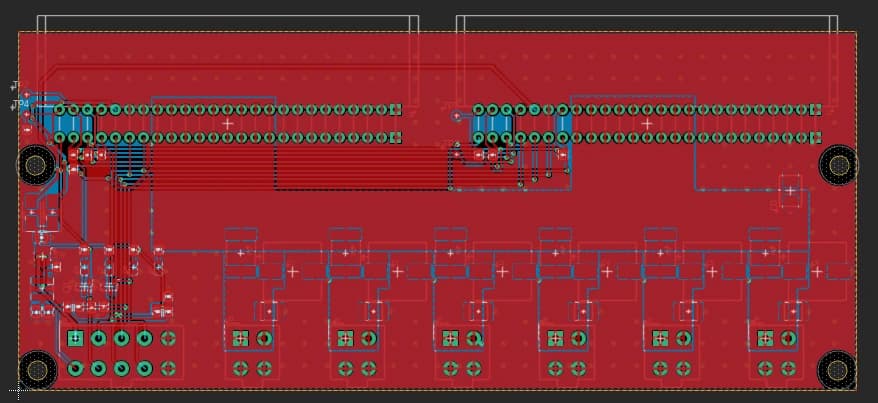
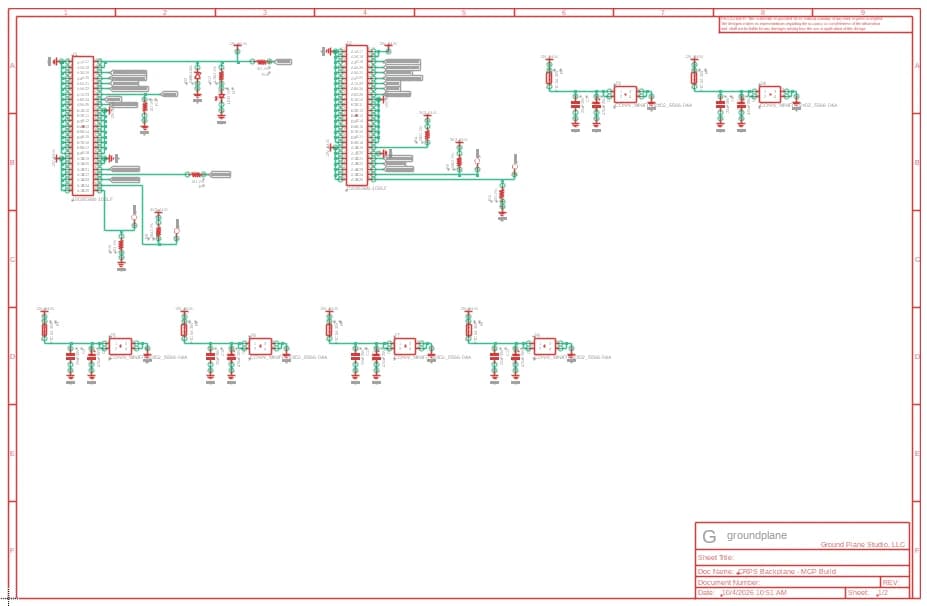
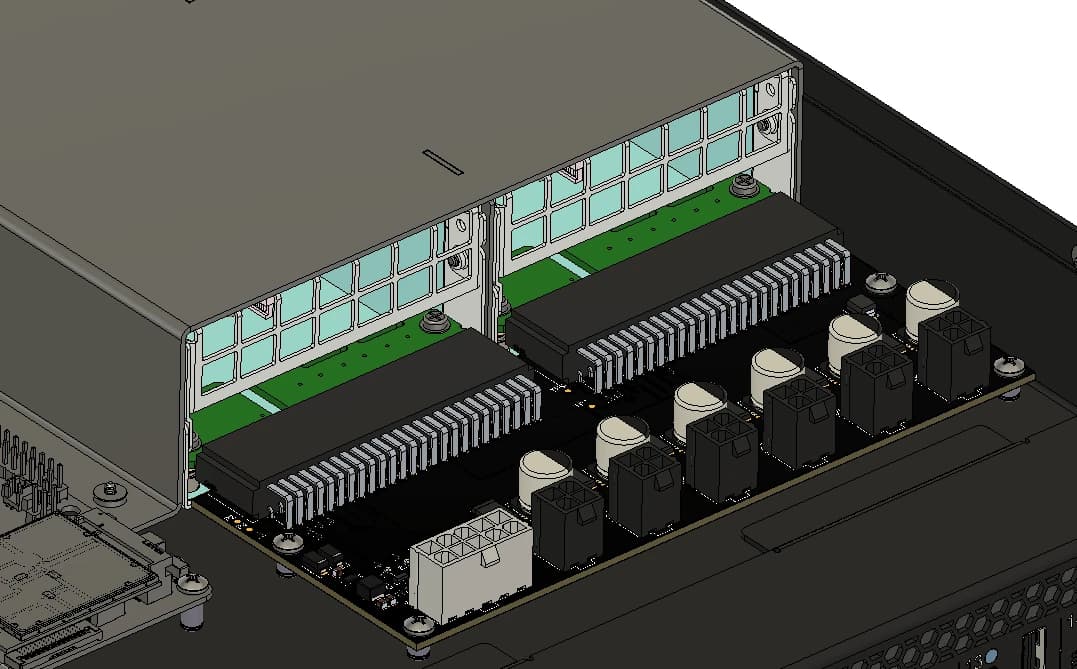
The board in the header is a dual CRPS power-supply backplane built in Fusion through the server: schematic drawn as blocks from a netlist, passives placed by rule, routed with the power pours kept whole, GND stitched, silkscreen and 3D models checked, with the BOM and CPL exported for JLCPCB assembly. Below, it sits in its enclosure with both supplies plugged in.
On a two-layer power backplane benchmark, the current router is about 10 times faster than the first version, and the length of trace cutting through other nets' power pours dropped from 109 mm to 2 mm. On a four-layer carrier with 0.65 mm pitch QFN and VSSOP parts and 0.15 mm rules, it routed 84 of 84 connections in about 13 s with no clearance errors, 10% shorter than the same board routed with Freerouting. Version 0.3.0 came out of laying out a PoE magnetics test board (RJ45, magnetics, CM4).
Before an order, the server compares each part's footprint with the one JLCPCB places it with and writes the rotation and offset corrections into the CPL. Parts it cannot match with confidence are listed for review rather than guessed. It is a check, not a guarantee: we still open JLCPCB's placement preview and look at every part before paying for assembly.
The libraries
fusion-libraries holds the Fusion libraries we design with, built for boards assembled at JLCPCB. Passives are a device set per package with a variant per value, and each variant carries its JLCPCB part number, manufacturer and manufacturer part number, so picking a value in Fusion picks the part JLCPCB will place. The passive part numbers were picked from JLCPCB's in-stock parts in September 2026.
- GPLIB_PASSIVE: resistors, capacitors, inductors, ferrites, fuses, crystals, transformers and filters; 79 device sets, 4,059 variants. Used on all our boards
- GPLIB_SCHEMATIC: A and B size sheet frames, about 160 named power rails, 7 ground symbols and a net tie. Used on all our boards
- GPLIB_ACTIVE: regulators and PMICs, interface ICs, MCUs, modules, memory, sensors, logic, FETs, diodes, TVS and LEDs; 196 device sets. Less checked
- GPLIB_CONN: USB, HDMI, RJ45, FFC, SATA and wire-to-board connectors, switches, terminals, antennas, battery holders and relays; 109 device sets. Less checked
- GPLIB_PCB: fiducial, mounting holes, test point, pogo pads, breakaway tab and LED holder. Less checked
- Every two-pin part uses the same 7.62 mm symbol with the anode or + on the left, so schematics read the same everywhere
- A ULP that writes the JLCPCB BOM and CPL straight from the board, with the excluded parts listed so nothing is dropped silently
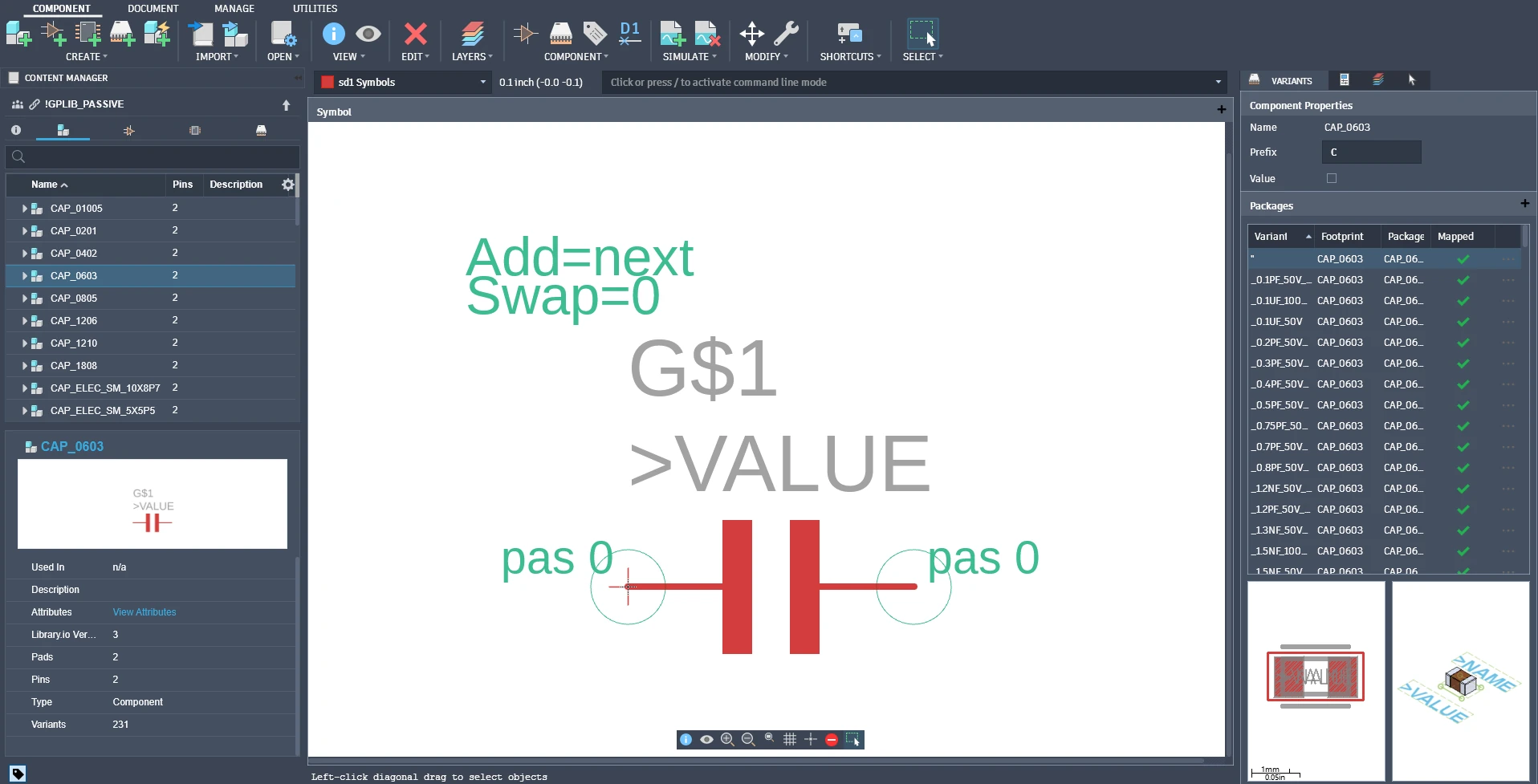
The server uses the libraries directly: its block schematics draw on the sheet frames and power symbols, and its BOM and CPL exports read the JLCPCB attributes on each variant. Parts the libraries do not have can be built from JLCPCB's own footprints into a library of your own with the server's part tools.
Limits
- Routing works stage by stage with a person reviewing each one; routing a whole board unattended, start to finish, is not there yet
- Gerbers are exported from Fusion's CAM dialog by hand, because Fusion's CAM writes nothing when driven from outside; the server checks the zip
- Impedance figures are closed-form estimates, typically within about 10 %; critical pairs still go through the fab's calculator
- The dialog watchdog and focus guard are Windows only so far; on macOS a Fusion dialog waits for a person
- The library part numbers go stale as parts go out of stock, and part orientation in the libraries is not maintained or checked: every order still gets a part-by-part look at the placement preview
It is an independent project, not affiliated with or endorsed by Autodesk or JLCPCB.